
PCAP example of TCP packet capture analysis
ChatTCP provides users with some PCAP examples for TCP, such as the Three-Way Handshake and Four-Way Handshake of TCP, allowing users to learn and master TCP without needing to capture packets themselves. It is very suitable for beginners.
In addition to TCP, ChatTCP will gradually provide examples for application layer protocols, such as the WebSocket protocol, to facilitate users' learning or review without needing to simulate scenarios and capture packets.
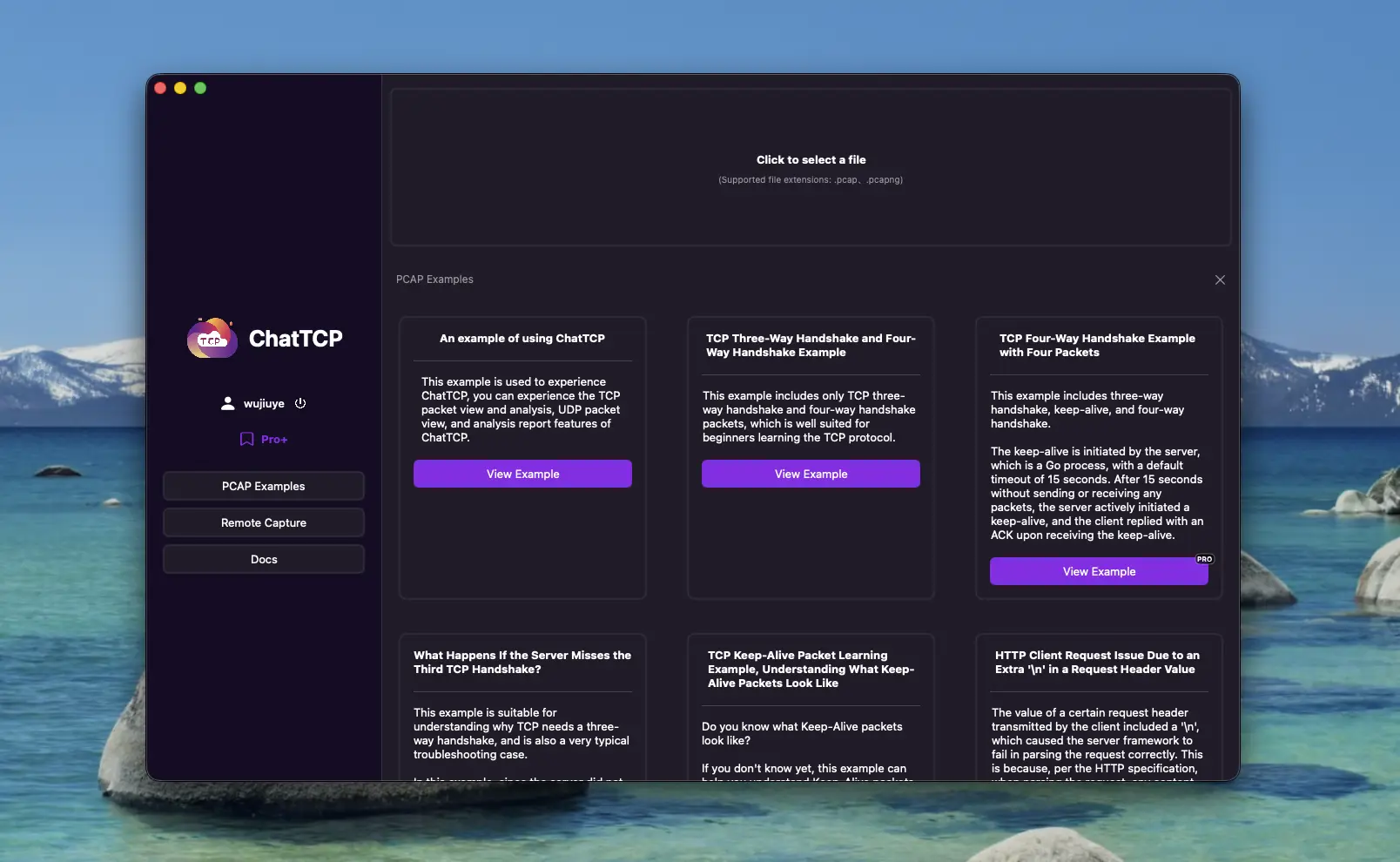
Currently available examples include
The Three-Way Handshake and Four-Way Handshake examples of TCP, where the second and third packets of the Four-Way Handshake are the same packet.
This example includes only TCP Three-Way Handshake and Four-Way Handshake packets, which is very suitable for beginners to learn and understand TCP.
In the Four-Way Handshake, the second and the third packets are the same packet.
Don't Four-Way Handshakes correspond to four TCP packets? Why are there only three in this example?
Generally, they correspond to four packets, but there are examples with three packets. The reason is that the second packet is the passive side's reply ACK, indicating that the closure request has been received, and the third packet is the passive side sending FIN to the active side, indicating that it is also ready to close the connection. So the third packet FIN can be combined with the second packet ACK packet and sent together.
Learning example for TCP Keep-Alive packets, to understand what Keep-Alive packets look like.
Do you know what Keep-Alive packets look like?
If you don't know yet, this example can help you understand Keep-Alive packets.
In this example, the Keep-Alive interval is 15 seconds. This is a packet capture from a Go program, and the default Keep-Alive timeout for Go's underlying net.Dialer is 15 seconds. If interested, you can check out this issue, which says that Go's default 15-second Keep-Alive is too frequent, leading to battery drain.
What happens if the server does not receive the third handshake of the Three-Way Handshake?
This example is suitable for understanding why TCP needs Three-Way Handshake and is also a very typical troubleshooting example.
In this example, since the server did not receive the client's third handshake packet, the connection was not actually established successfully. Judging from this example, it should be packet loss on the server side.
The server keeps retransmitting the second handshake packet, and the client receives the server's retransmitted second handshake packet and retransmits the third handshake packet, but the server still does not receive it.
Finally, the client actively sent a disconnection packet, the server received it and replied with an acknowledgment, but since the server did not actually establish a connection successfully, the server did not send the third packet but replied with an RST packet.
Example of the four packets in the TCP protocol's Four-Way Handshake.
This example includes Three-Way Handshake, Keep-Alive, and Four-Way Handshake.
The Keep-Alive is initiated by the server, which is a Go process, with a default timeout of 15 seconds. After 15 seconds without sending or receiving any packets, the server actively initiated a Keep-Alive, and the client replied with an ACK upon receiving the Keep-Alive.
The Four-Way Handshake corresponds to four packets, with the server initiating the connection closure (first packet). The client's second packet is an ACK reply to the server's first packet, and the third is the client sending a FIN to the server, indicating that it is also ready to close the connection. In this example, the client did not combine the second and third into one packet.
An HTTP client request where an extra '\n' in a request header value causes the server to fail to process the request properly.
The value of a certain request header transmitted by the client included a '\n', which caused the server framework to fail in parsing the request correctly. This is because, according to the HTTP, when parsing the request, any content following this '\n' is treated as the request body. However, the Content-Length did not match the length of the body, resulting in an erroneous request. Consequently, the server framework actively disconnected the connection.
Analyzing TCP packet captures to solve the issue of the HTTP Event Stream being stuck until the last message is returned all at once.
HTTP Event Stream is used to achieve a typewriter-like effect similar to that of GPT.
In this example, although it uses the HTTP, capturing packets with Charles may not reveal that the Event Stream is indeed returned in multiple data packets; instead, it may only show the final, complete HTTP response.
Through TCP packet capture and analysis, it was found that each event is responded to in a separate TCP packet. However, from the frontend perspective, there was a significant delay before the content was displayed all at once, failing to achieve the typing effect.
Upon examining the TCP packets, it was discovered that each event was garbled. Since we did not encrypt the data, there was only one possible explanation: compression was enabled.
If compression is enabled, the entire body must be received before it can be decoded. Therefore, the response was held up until the last packet was received, resulting in a single, delayed response.